

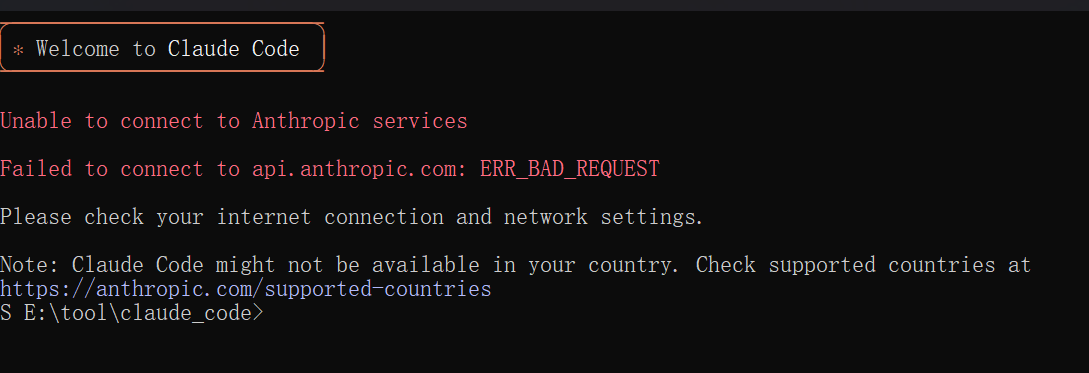
Unable to connect to Anthropic services Failed to connect to api.anthropic.com: ERR_BAD_REQUEST Please check your internet connection and network settings. Note: Claude Code might not be available in your country. Check supported countries at https://anthropic.com/supported-countries
1.添加 hasCompletedOnboarding 字段
在编辑器中,按 ↓ 键移动到文件最后一行(} 之前),然后按 Enter 插入新行。
2. 输入以下内容
"hasCompletedOnboarding": true,3. 完整配置示例
{
  "cachedStatsigGates": {
    "tengu_prompt_suggestion": false
  },
  "cachedDynamicConfigs": {
    "tengu_1p_event_batch_config": {
      "scheduledDelayMillis": 5000,
      "maxExportBatchSize": 200,
      "maxQueueSize": 8192
    }
  },
  "cachedGrowthBookFeatures": {
    "tengu_mcp_tool_search": false,
    "tengu_disable_bypass_permissions_mode": false,
    "strawberry_granite_flag": "N/A",
    "persimmon_marble_flag": "N/A",
    "tengu_tool_pear": false,
    "tengu_thinkback": false,
    "tengu_sumi": false
  },
  "userID": "2c1152bf91dd6badb1977f2b61832dabb70bba045131894941b5163ed1a49ea5",
  "firstStartTime": "2025-12-23T01:00:38.556Z",
  "sonnet45MigrationComplete": true,
  "opus45MigrationComplete": true,
  "thinkingMigrationComplete": true,
  "changelogLastFetched": 1766454604336,
  "hasCompletedOnboarding": true
}
4. 保存并退出
按 Ctrl + O 保存文件,然后按 Enter 确认文件名。最后按 Ctrl + X 退出编辑器。